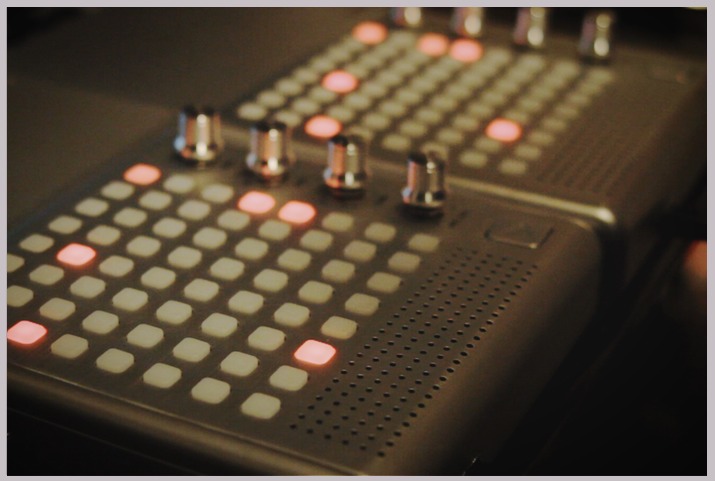
 Finally finished the last Bliptronome last night. I closed up the case around 11pm. I really wanted to demo these guys in some kind of video showing off the ability to use the knobs for something, but realized after a bit of research that there is a real dearth of monome apps that utilize this function. I decided to go with a monome application called 7up Live.
7up Live is an amazingly deep program designed by Monome users Making The Noise and Bar|none. They have done an amazing job developing this app. I had to go through the installation procedure because they have recently upgraded it. Going through their step by step installation is a pleasure because everything works beautifully and they provide a template project complete with its own loops and drum samples. The integration with Ableton is even more sweet now with the onset of Max For Live.
The only trouble with 7up live is that it offers so much control that it’s tough to decide how to use it. I ended up just zoning into it for hours and then 2am rolled around and I realized that I hadn’t recorded anything yet. I personalized the set a little by dragging in some samples of my own from my song “The Whisky Twist” from MCRP V3. Then I added a Lowpass filter to the drums and mapped it to one of the knobs on the Bliptronome. I recorded for about 10 minutes and then cut it down to a hopefully pleasurable 2 minutes. The video is really nothing special I just wanted to show off that it actually works.
7up is such a well developed software that introducing the second Bliptronome was a breeze. They are both running the same instance of 7up but are running independently so on one I could be triggering clips while on the other modulating effects. Pretty Rad.
Day 156 / Double Bliptronome (All The Way)
Comments
8 responses to “Day 156 / Double Bliptronome (All The Way)”
That is pretty Rad man! I’ve been thinking about modding my Bliptronic as well…your video may have just sold me! Cheers!
wow, very cool. i love my bliptronic, but it is a pretty limited beast. there are some vids online where people have turned them into midi controllers, but this looks way cooler than what I have previously seen. do you know if this is possible with Logic?
let’s see if the HTML works (for a shot of my kid playing with my Bliptronic):
Thanks Rob :). @Rabbit, this particular app is solely Ableton unfortunately but there are tons of monome apps that work independantly of a DAW. Depending on the app you can route audio or midi to logic. I’ll have to look up the midi conversions for this. Sounds interesting as well.
awesome work man! so intense.. how do the buttons feel compared to the real thing?
Wow, that is a lot of buttons!
Thanks you guys! Pirx, the buttons are very clicky but not all that bad in my opinion. I still have yet to try it out with some other apps. The clicks are pretty loud though. It can be a distraction from the music that your making with it.
When i grow up, i whant to be just like you; you inspire me.
Wow! You just made my day, Diego. Thank you!