
 February 8th, 2011
I got home from set at midnight tonight and again I felt very uninspired. I hope this isn’t a trend. Jenny was in bed at the time and I cuddled her for awhile and then fell asleep. She woke me up at 1:30 am and told me I had to do my creative thing. I went out to the living room, looked at my computer and then lied down on the sofa. I woke up again at nearly 3 am. Oh, yes, creative thing. Right. I’ve gone this far without missing a day I’m not about to let it slip. Jenny came out in the middle of my project and said “Charlie, it’s 3:30 in the morning!” and I replied “It’s ok sweetie, I just got up.
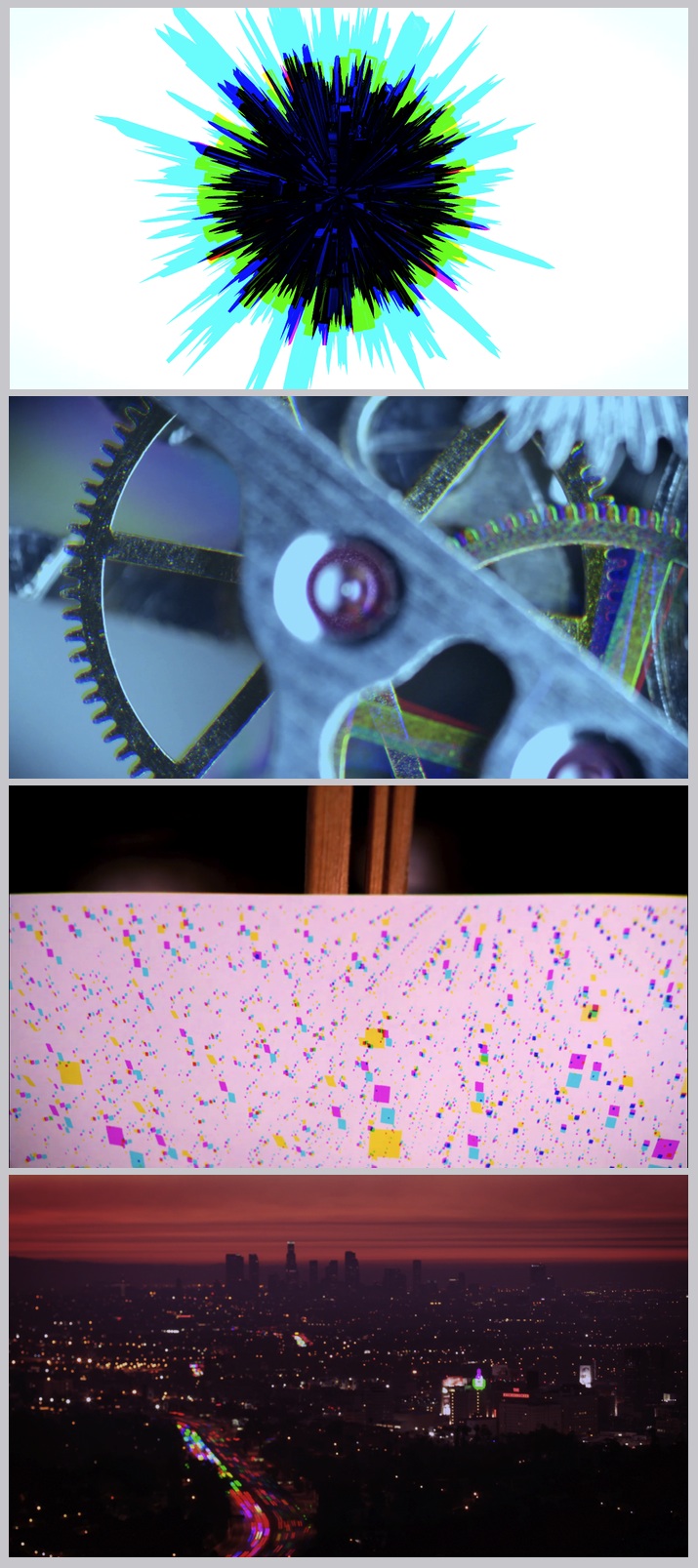
Because I had so little time and so little energy I thought of doing something inside of the computer. I remembered seeing this photographic technique on the blog called Applyfilter. I thought it was a pretty cool effect and actually a pretty simple concept.
The way it’s done is you must take three consecutive pictures from the same vantage point. Then you bring them into the computer and open each one of them up. Rename each of them “Red”, “Green” and “Blue Master”. Go to your Red file and adjust the channel mixer so that only the Red channel is visible. Then go to your Green picture and do the same except only leaving the green channel visible. Then go to your Blue Master picture and paste your Red picture into the red channel. Paste your Green picture into the green channel of your Blue Master picture and there you have it. You have a final composite where the red, green and blue channel all come from a different time.
The effect works quite well with images that stay static except for some element in the frame. For example, in my beach shot the sand and sky stay the same but the water has interesting colors throughout. The images above are all from previous creative projects.
Comments
3 responses to “Day 339 / The Harris Shutter Effect”
Great effect sweetie, it really adds dimension to the photos.
Hi. Just got back from vacation and was looking through your recent posts. Interesting stuff as always.
Nice to see your take on the Harris shutter effect. I really enjoyed the traffic timelapse picture.
I was also looking at some of your slitscan videos and I was wondering what software you are using for creating them?
Best regards
@Jenny, thanks sweetie :)
@Applyfilter, thanks man. I like looking through you’re blog. Lots of techniques I’ve never heard of. My slitscans are rendered with a proprietary software designed a person I found on vimeo. His name is Carl Rosendahl. Unfortunately, I was instructed not to distribute. Although, I was thinking of trying out a manual analog version using a DC motor which moves some black paper with a slit in it slowly across the lens.